# Quantumult X

## 下载安装Quantumult X

Quantumult X是一款收费软件，您可以从大陆以外区域的App Store或者通过以下第三方供应商购买：

请先自行安装此软件再进行下面的操作。

Quantumult X带有分享检测机制，同一个苹果商店账户如果在过多设备上安装次软件会导致无法正常工作。

## 获取订阅并导入到Quantumult X

登陆我们的官网用户中心，点击左侧“Shadowsocks”，点击“iOS”-“Quantumult X”-“Quantumult X Subscription”，以获取Quantumult X订阅链接。

<figure><img src="https://2331855688-files.gitbook.io/~/files/v0/b/gitbook-x-prod.appspot.com/o/spaces%2FO2AC57rbUFc12ou3APLo%2Fuploads%2FrXMF5HyYyWHdUziz9C7Z%2FSnipaste_2026-01-11_19-57-04.png?alt=media&#x26;token=d84172e5-4ee9-4f08-af70-a3214076c772" alt=""><figcaption></figcaption></figure>

打开您刚才安装好的QuantumultX，点击右下方的圆圈，进入设置页面。

<figure><img src="https://2331855688-files.gitbook.io/~/files/v0/b/gitbook-x-prod.appspot.com/o/spaces%2FO2AC57rbUFc12ou3APLo%2Fuploads%2FknihmitX0KcHvxXYwQV9%2Fimage.png?alt=media&#x26;token=88dbf42e-35bb-474d-9ef0-0a9448f4c5c2" alt=""><figcaption></figcaption></figure>

在设置页面翻到最下方，点击如图所示的“配置文件”栏目下方的“下载”按钮，输入您刚才从我们官网获取的QuantumultX托管链接，然后点击右上方的保存按钮。下载完成后需要重启Quantumult X才会看到节点。

<figure><img src="https://2331855688-files.gitbook.io/~/files/v0/b/gitbook-x-prod.appspot.com/o/spaces%2FO2AC57rbUFc12ou3APLo%2Fuploads%2FSE9YzCNsN38Xa75o85jX%2Fimage.png?alt=media&#x26;token=701611d0-1f78-4bb4-b7fa-a66a59140c2e" alt=""><figcaption></figcaption></figure>

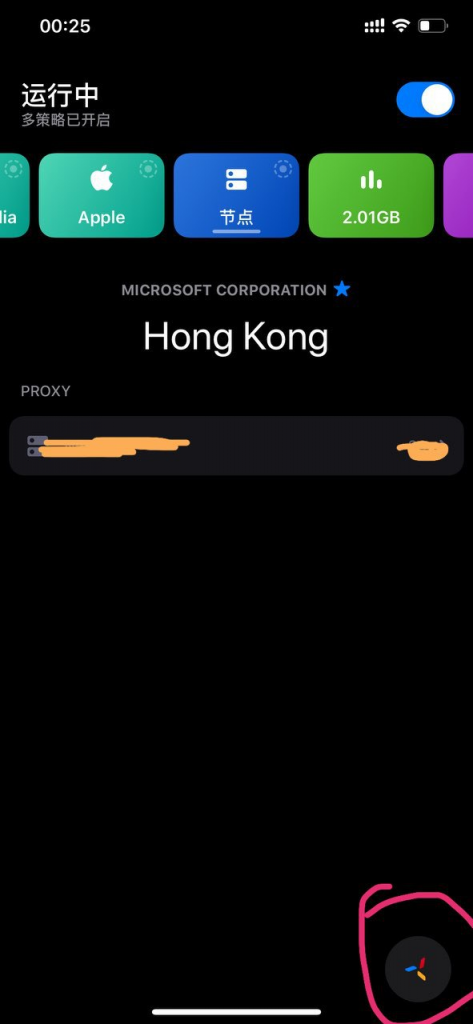
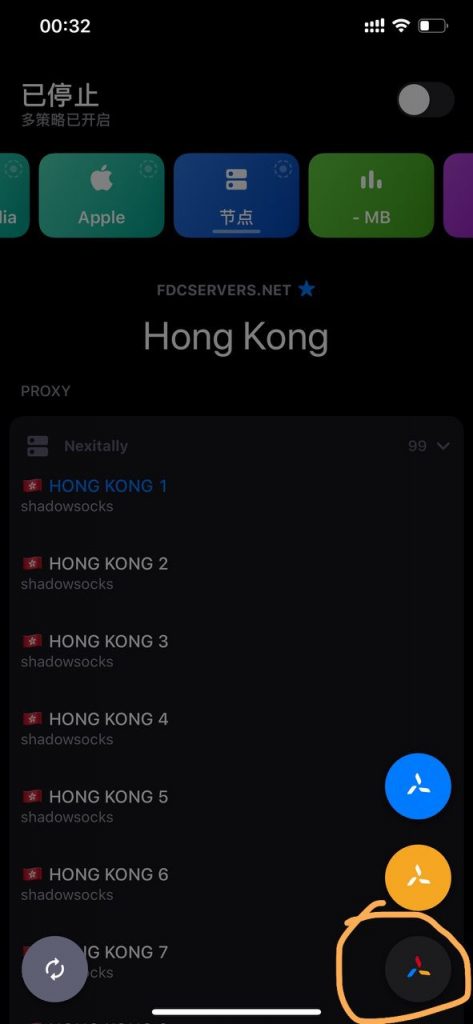
回到首页后长按右下方的圆圈按钮，这时会出现三个不同颜色的按钮供选择，选择彩色的按钮之后才会启用只能分流模式。

<figure><img src="https://2331855688-files.gitbook.io/~/files/v0/b/gitbook-x-prod.appspot.com/o/spaces%2FO2AC57rbUFc12ou3APLo%2Fuploads%2FKhR5O2ClV0TY63Dgsi2e%2Fimage.png?alt=media&#x26;token=b55bec7b-1e68-4869-ac72-ce17292b070e" alt=""><figcaption></figcaption></figure>

最后点击右上角的开关来启用代理。


---

# Agent Instructions: Querying This Documentation

If you need additional information that is not directly available in this page, you can query the documentation dynamically by asking a question.

Perform an HTTP GET request on the current page URL with the `ask` query parameter:

```
GET https://nexitally-1.gitbook.io/nexitally-wen-dang-zhong-xin/nexitally-wen-dang-dao-hang/quantumult-x.md?ask=<question>
```

The question should be specific, self-contained, and written in natural language.
The response will contain a direct answer to the question and relevant excerpts and sources from the documentation.

Use this mechanism when the answer is not explicitly present in the current page, you need clarification or additional context, or you want to retrieve related documentation sections.